> ## Documentation Index
> Fetch the complete documentation index at: https://docs.tesouro.com/llms.txt
> Use this file to discover all available pages before exploring further.
# Balances
> Embed the balances component to display a user's bank accounts and available balances.
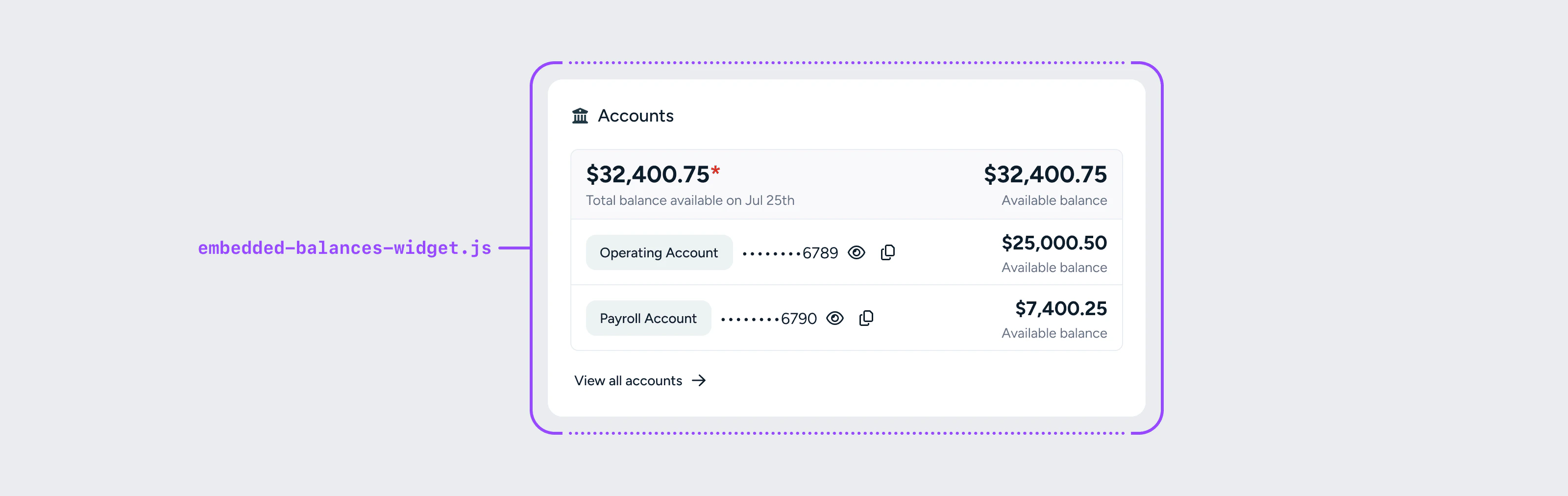 The balances component shows users their list of embedded accounts and the available balance in each. Tesouro displays the *available balance* — the most accurate balance, inclusive of the customer's actual spending power.
Pair it with the [insights feed](/embedded-banking/guides/embedded-components/insights-feed) component on the same page for a complete banking dashboard view.
## React
```tsx lines theme={null}
import { EmbeddedProvider, BalancesWidget } from '@tesouro/embedded-components-react';
export default function DashboardPage() {
return (
);
}
```
### BalancesWidget props
| Prop | Required | Description |
| :---------------- | :------- | :---------------------------------------------------- |
| `accountsPageUrl` | No | URL to navigate to when a user clicks into an account |
## Web components
```html lines theme={null}
```
The balances component shows users their list of embedded accounts and the available balance in each. Tesouro displays the *available balance* — the most accurate balance, inclusive of the customer's actual spending power.
Pair it with the [insights feed](/embedded-banking/guides/embedded-components/insights-feed) component on the same page for a complete banking dashboard view.
## React
```tsx lines theme={null}
import { EmbeddedProvider, BalancesWidget } from '@tesouro/embedded-components-react';
export default function DashboardPage() {
return (
);
}
```
### BalancesWidget props
| Prop | Required | Description |
| :---------------- | :------- | :---------------------------------------------------- |
| `accountsPageUrl` | No | URL to navigate to when a user clicks into an account |
## Web components
```html lines theme={null}
```