> ## Documentation Index
> Fetch the complete documentation index at: https://docs.tesouro.com/llms.txt
> Use this file to discover all available pages before exploring further.
# FinOps Hub
> Embed invoicing, bill pay, payments, and expense management into your platform with FinOps Hub. Modular financial workflows for banks, marketplaces, and SaaS providers.
FinOps Hub gives banks, marketplaces, and SaaS platforms the infrastructure to become the financial operating system for their business clients — without building it themselves.
Through a single integration, your platform can offer the full suite of financial workflows that business customers actually run on: invoicing and collections ([accounts receivable](/finops/guides/accounts-receivable/index)), bill payment and approval automation ([accounts payable](/finops/guides/accounts-payable/index)), payments, AI-powered [expense management](/finops/guides/expense-management/index) and more. Each capability is modular — embed what your clients need today, and expand as your offering grows.
FinOps Hub offers flexible integration options — drop-in widgets for fast deployment, a white-label platform with SSO, and direct APIs for fully custom builds. Payments are equally flexible: move money through Tesouro's own [acquiring](/acquiring/index) solution, or connect to the leading payment processors across the US — whichever fits your existing stack.
Not sure where to start? [Talk to our team](/finops/support) — we'll help you find the right integration for your business.
## Browse our functionality
Automate bill intake, approvals, and vendor payments
Create, send, and track invoices on behalf of your clients
Process payouts and collect payments across multiple methods
Extract invoice data using smart OCR trained on finance documents
Sync invoices, payments, and tax data with accounting systems
AI-powered receipt capture, transaction matching, and real-time expense tracking
## How FinOps Hub works
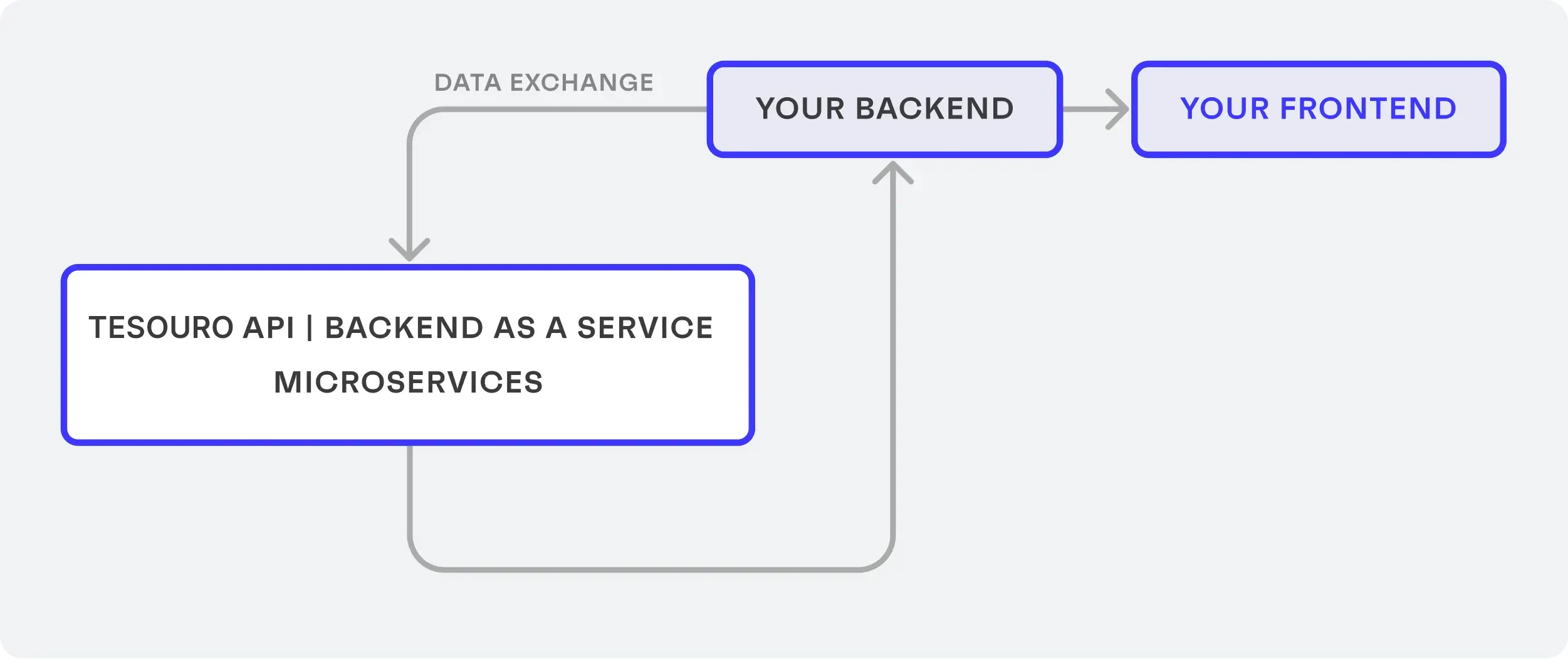
FinOps Hub is a SaaS (Software as a Service) that your backend securely sends and retrieves financial data to and from its server using a series of [REST](https://en.wikipedia.org/wiki/Representational_state_transfer) calls.
Built on a microservice architecture, each API endpoint is its own secure service built with full redundancy and failover.
 ## Integration options
Embed ready-made UI components with just a few lines
Build custom UIs using our fully flexible React toolkit
Full control to integrate with our APIs from scratch
## Integration options
Embed ready-made UI components with just a few lines
Build custom UIs using our fully flexible React toolkit
Full control to integrate with our APIs from scratch