> ## Documentation Index
> Fetch the complete documentation index at: https://docs.tesouro.com/llms.txt
> Use this file to discover all available pages before exploring further.
# Set up accounting integration
> Learn how to establish connection to an organization’s accounting system.
## Prerequisites
You must have a [partner account](/finops/guides/authentication/client-credentials) in Tesouro.
## 1. Set up partner accounts on accounting platforms
Partners must set up accounts in [QuickBooks Online](https://developer.intuit.com/app/developer/homepage) and [Xero](https://developer.xero.com/) to successfully support integrations with these accounting systems.
## 2. Provide accounting credentials to Tesouro
After creating a partner account in QuickBooks or Xero, partners must provide their secure application keys (API Key and Secret) for whichever platform they intend to integrate with Tesouro.
To do this, please send the credentials to [dev-accounting@tesouro.com](mailto:dev-accounting@tesouro.com) via a secure password manager or file sharing tool, such as [BitWarden](https://bitwarden.com/).
Partners must provide their **production** keys. Development and sandbox keys are not supported
for these integrations.
## 3. Generate a Tesouro partner access token
To authenticate your API calls with Tesouro, you need to generate a [partner-level token](/finops/guides/authentication/client-credentials). To do this, call [`POST /auth/token`](/finops/reference/openapi/access-tokens/post-auth-token) with the following parameters:
```sh lines theme={null}
curl -X POST 'https://api.sandbox.tesouro.com/v1/auth/token' \
-H 'X-Finops-Version: 2025-06-23' \
-H 'Content-Type: application/json' \
-d '{
"grant_type": "client_credentials",
"client_id": "YOUR_PARTNER_CLIENT_ID",
"client_secret": "YOUR_PARTNER_CLIENT_SECRET"
}'
```
The successful response contains the token and its validity time (in seconds):
```json lines theme={null}
{
"access_token": "eyJ0eXAiOiJKV1QiLCJhb...",
"token_type": "Bearer",
"expires_in": 1800
}
```
## 4. Set up organizations in Tesouro
If you have not already, create [organizations](/finops/guides/organizations/index) in Tesouro that represent your customers. Since the connection to an accounting system is configured on the organization level, Tesouro partners must have organizations in Tesouro before proceeding further.
Organizations that use [accounts receivable](/finops/guides/accounts-receivable/index) must also create their [product catalog](/finops/guides/accounts-receivable/products) in Tesouro before setting up an accounting connection.
## 5. Establish organization connection to an accounting system
To establish a new accounting connection that allows an organization to synchronize all its accounting data with a third-party accounting system, call [`POST /accounting-connections`](/finops/reference/openapi/accounting-connections/post-accounting-connections). In this request, you must pass the organization ID in the `X-Organization-Id` header:
```sh lines theme={null}
curl -X POST 'https://api.sandbox.tesouro.com/v1/accounting-connections' \
-H 'X-Finops-Version: 2025-06-23' \
-H 'X-Organization-Id: ORGANIZATION_ID' \
-H 'Authorization: Bearer YOUR_ACCESS_TOKEN' \
```
The successful `201 Created` response contains the information about the newly created connection:
```json lines theme={null}
{
"id": "cd16c05b-bd05-45c8-822c-a5aa4a6b1e78",
"created_at": "2024-06-08T19:52:22.557280+00:00",
"updated_at": "2024-06-08T19:52:22.557291+00:00",
"connection_url": "https://sites.railz.ai/ste-bac47d52-c7f3-452c-83d3-de55d6193924",
"errors": null,
"last_pull": "2024-06-08T19:52:22.557307+00:00",
"platform": null,
"status": "pending_auth"
}
```
Note down the `connection_url` value as you will need it on the next step.
Each organization can connect to **only one** accounting system at a time. The organization must
be disconnected from any previous system before they can successfully establish a new connection.
To disconnect an organization from an accounting system, call \[\`POST /accounting-connections/
{connection_id}
/disconnect\`]\(/finops/reference/openapi/accounting-connections/post-accounting-connections-id-disconnect)
endpoint. For more information, see [Disconnect an accounting system](/finops/guides/accounting/integration/manage#disconnect).
## 6. Organization user authorizes their connection
Send the `connection_url` value obtained on the previous step to the organization representative. This URL looks like this:
```lines theme={null}
https://sites.railz.ai/ste-bac47d52-c7f3-83d3-452c-de55d6193924
```
The organization user must navigate to this URL in their browser. This opens an authorization page, where the organization user must select their preferred accounting system.
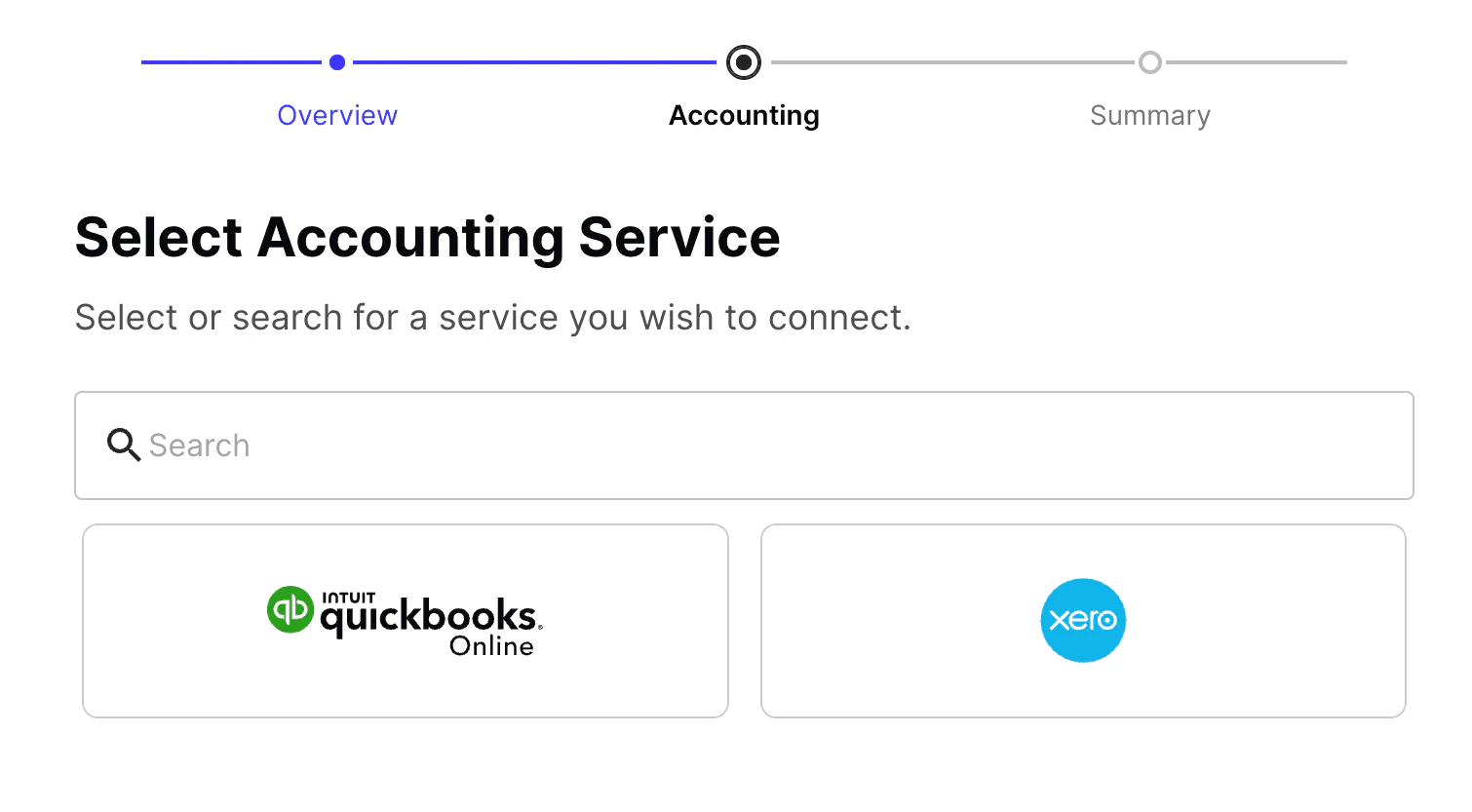 After selecting the accounting platform, the organization user must log in and authorize the partner's developer account to access their data.
Partners can customize specific attributes on the authorization page. To do this, please contact
your Tesouro Customer Success Manager.
Upon successful authorization, the `platform` field will contain the organization's chosen accounting platform and the value of the `status` field in the accounting connection object will be `connected`. You can confirm this by calling [`GET /accounting-connections/{connection_id}`](/finops/reference/openapi/accounting-connections/get-accounting-connections-id). This endpoint returns information about the organization's connection to an accounting system including the status of the connection and the last synchronization.
## What's next
* Assign [ledger accounts](/finops/guides/accounting/integration/ledger-accounts) to products, line items, and payment records so that they can be successfully pushed.
* Learn how [invoices are pushed](/finops/guides/accounting/integration/push-invoice).
## Troubleshooting
If you experience any issues and need further assistance with the integration, please feel free to [contact our Support Team](/finops/support/) at any time.
After selecting the accounting platform, the organization user must log in and authorize the partner's developer account to access their data.
Partners can customize specific attributes on the authorization page. To do this, please contact
your Tesouro Customer Success Manager.
Upon successful authorization, the `platform` field will contain the organization's chosen accounting platform and the value of the `status` field in the accounting connection object will be `connected`. You can confirm this by calling [`GET /accounting-connections/{connection_id}`](/finops/reference/openapi/accounting-connections/get-accounting-connections-id). This endpoint returns information about the organization's connection to an accounting system including the status of the connection and the last synchronization.
## What's next
* Assign [ledger accounts](/finops/guides/accounting/integration/ledger-accounts) to products, line items, and payment records so that they can be successfully pushed.
* Learn how [invoices are pushed](/finops/guides/accounting/integration/push-invoice).
## Troubleshooting
If you experience any issues and need further assistance with the integration, please feel free to [contact our Support Team](/finops/support/) at any time.