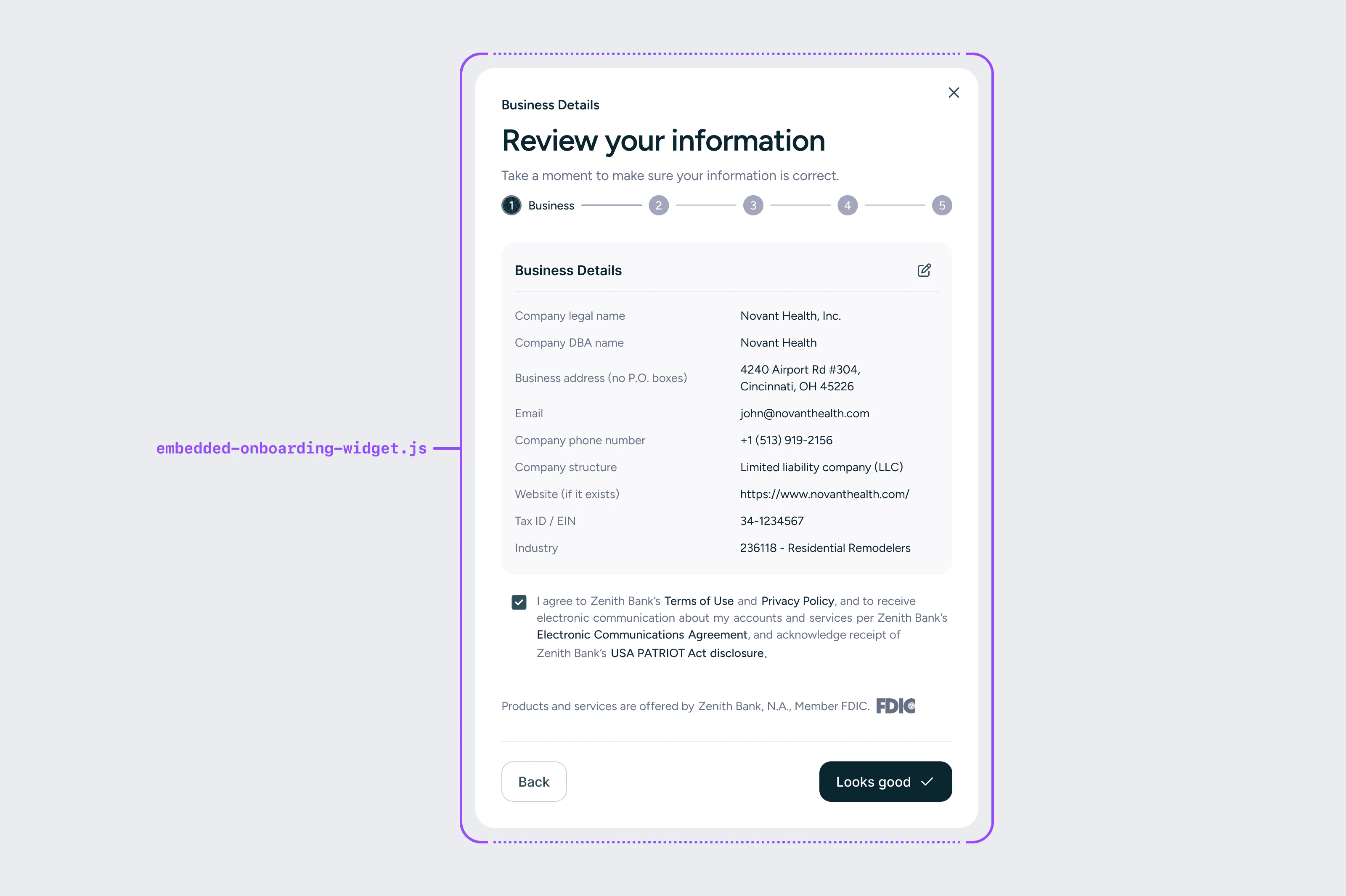
Onboarding Widget
The onboarding component shows users marketing information about the embedded account and kicks off the KYC/KYB onboarding flow. It pulls in your logo, bank account name, and marketing text from Tesouro’s database — content that is defined collaboratively by you, Tesouro, and the bank, and must be bank-approved. After the user views the marketing information, the component transitions into the onboarding flow where business users submit their information for KYC/KYB validation. The flow collects information on three entities:
  • Business entity — Legal information about the business itself
  • Business controller — An individual with the power to direct or significantly influence the financial activities of the business (e.g. CEO, CFO, VP)
  • Beneficial owners — Any person who owns 25% or more of the company’s ownership interests
A business may have between zero and four beneficial owners.

Onboarding outcomes

OutcomeDescription
Instant approvalThe user can immediately access the banking dashboard and start using the account
Manual reviewThe bank requires additional review time; the user is notified via email when complete
DeniedThe application is denied if it appears fraudulent or too risky for the bank

React

import { EmbeddedProvider, OnboardingWidget } from '@tesouro/embedded-components-react';

export default function OnboardingPage() {
  return (
    <EmbeddedProvider
      userId={currentUser.id}
      userEmail={currentUser.email}
      widgetTokenRefreshUrl="/api/widget-token"
    >
      <OnboardingWidget bankingDashboardHref="/banking/dashboard" />
    </EmbeddedProvider>
  );
}
PropRequiredDescription
bankingDashboardHrefNoURL to redirect users to after successful onboarding
shouldRedirectNoWhether to automatically redirect after approval (default: false)
businessDetailsFormNoPre-filled business entity data (see pre-fill table below)
personalDetailsFormNoPre-filled business controller data
additionalBusinessOwnersNoArray of pre-filled beneficial owner data

Web components

<embedded-onboarding-widget
  data-merchant-id="YOUR_MERCHANT_ID"
  data-user-id="YOUR_USER_ID"
  data-widget-token-refresh-url="/api/widget-token"
  data-banking-dashboard-href="/banking/dashboard"
></embedded-onboarding-widget>

Pre-filling onboarding data

If you already store any of the following fields, pass them in to pre-fill the form and reduce friction for your users. Users can always edit pre-filled values. The workEmail field is required and must be passed via the personalDetailsForm prop:
<OnboardingWidget
  personalDetailsForm={{
    workEmail: 'owner@example.com', // required for onboarding flow
  }}
/>
FieldParameterExample
Company legal namecompanyLegalNameNail It Technology, Inc.
Company DBA namecompanyDbaNameNail It
Company addressbusinessAddress123 Main St.
Company citycityPhoenix
Company statestateArizona
Company ZIP codezipCode85001
Company phonecompanyPhoneNumber555-345-3434
Business structurecompanyStructurellc
Company websitewebsitehttps://www.example.com
EIN / Tax IDtaxId123456789
NAICS industry codeindustryCode111331
Controller first namefirstNameJack
Controller last namelastNameSmith
Controller date of birthdateOfBirth03-01-1997
Controller SSNssn123-45-6789
Controller home addresshomeAddress234 Main St.
Controller work email (required)workEmailjack@example.com
Controller phonemobilePhoneNumber555-345-2343
Controller owns 25%+ownsOver25Percentyes
Controller ownership %ownershipPercentage50
Beneficial owner first namefirstNameJane
Beneficial owner last namelastNameDoe
Beneficial owner DOBdateOfBirth02-15-1990
Beneficial owner SSNssn123456789
Beneficial owner addresshomeAddress123 Main St.
Beneficial owner phonephoneNumber5552344456
Beneficial owner %ownershipPercentage25