

Overview
Tesouro’s React SDK is a library of ready-to-use React components that are connected to the Tesouro API. These components can render and operate with data served by the API, such as payables, counterparts, and others. Tesouro partners can use UI Components to build React-based web applications for their client SMEs, powered by the Tesouro API.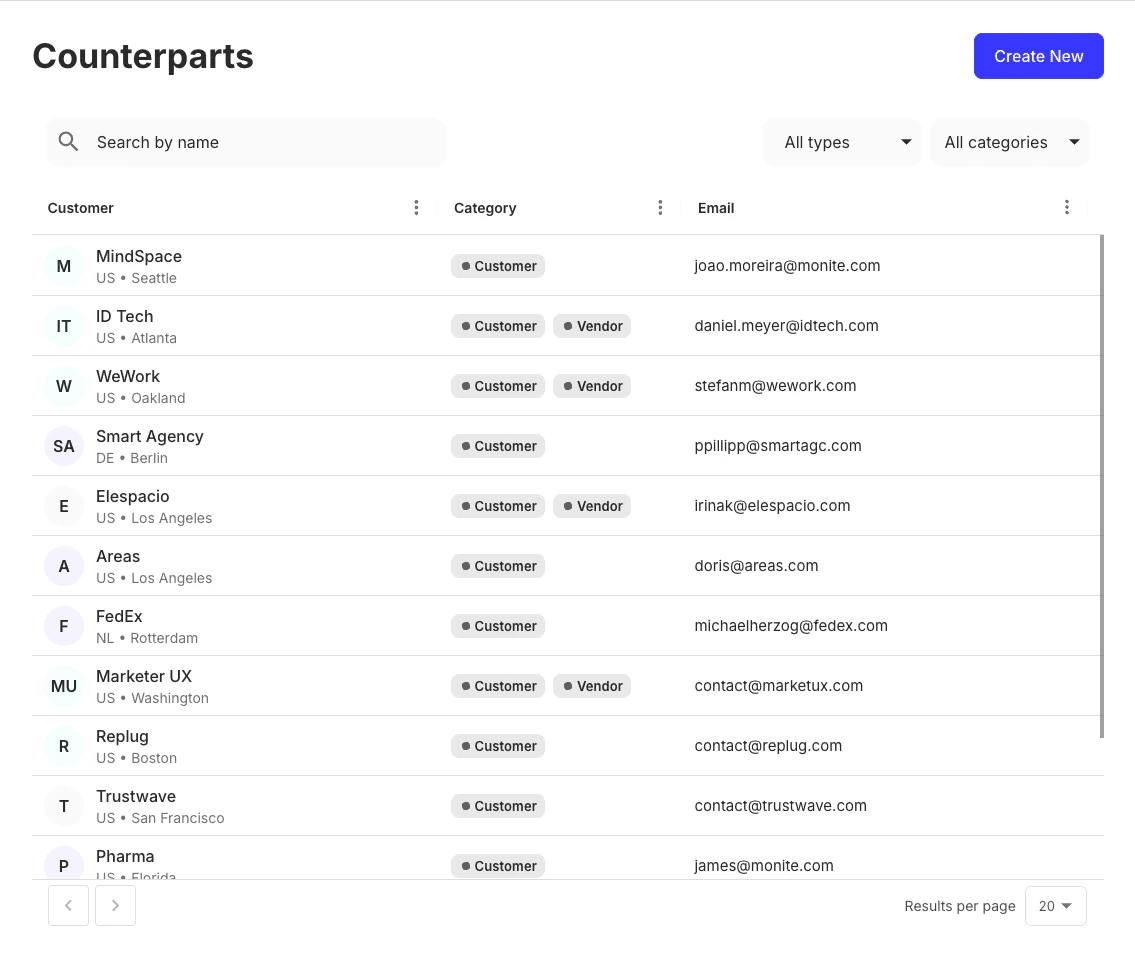
Supported browsers
Tesouro UI Components support the five latest versions of major browsers: Chrome, Firefox, Safari, Edge, Opera.React SDK components responsivenessAs of this release, the Tesouro React SDK is optimized for desktop use and may not provide the desired responsiveness on mobile and tablet views. We are actively working to enhance support for these platforms in future updates.
Installation
Before using Tesouro React components, you must first install the React SDK and API SDK packages available on the NPM and Yarn directories. To install:Usage
The example below displays a list of an organization’s counterparts. TheTesouroProvider element serves as a wrapper for other Tesouro-connected components.
Get the credentials
Before using components from the React SDK, complete the Getting started guide to set up your partner account and get API the credentials. We also assume you have already mapped out your customers and their users as organizations and organization users in Tesouro, and that you have the ability to:- look up the Tesouro organization user ID for the user who is logged in to your application;
- look up the Tesouro organization ID to which the user belongs.
POST /auth/token endpoint to generate a Tesouro access token for that user.
Once you have a user access token and an organization ID, you can initialize the Tesouro client and components.
Install the packages
Import the packages
You need to import theTesouroProvider and any other components that you want to use (such as CounterpartsTable):
App.js
Create the fetchToken function
The fetchToken function is used to get authorization tokens. You can create it at the backend side, but for illustration let’s do that at frontend:
App.js
Embed TesouroProvider component
The TesouroProvider is the root component that must wrap all other Tesouro-connected components. The wrapper fetches the access token and provides extra configuration for all Tesouro components beneath it.
App.js
locale prop is an optional configuration object that handles the localization mechanism for the UI components. With this, you can customize translations, currency formatting and usage of delimiters and decimal separators. For more information, see Localization.
Add components
In this example, we use theCounterpartsTable component to display a list of an organization’s counterparts:
App.js
Review the result
If you followed this tutorial, your code should look like this:App.js