

Overview
The Tesouro API uses different layers to secure access to any stored data within the platform: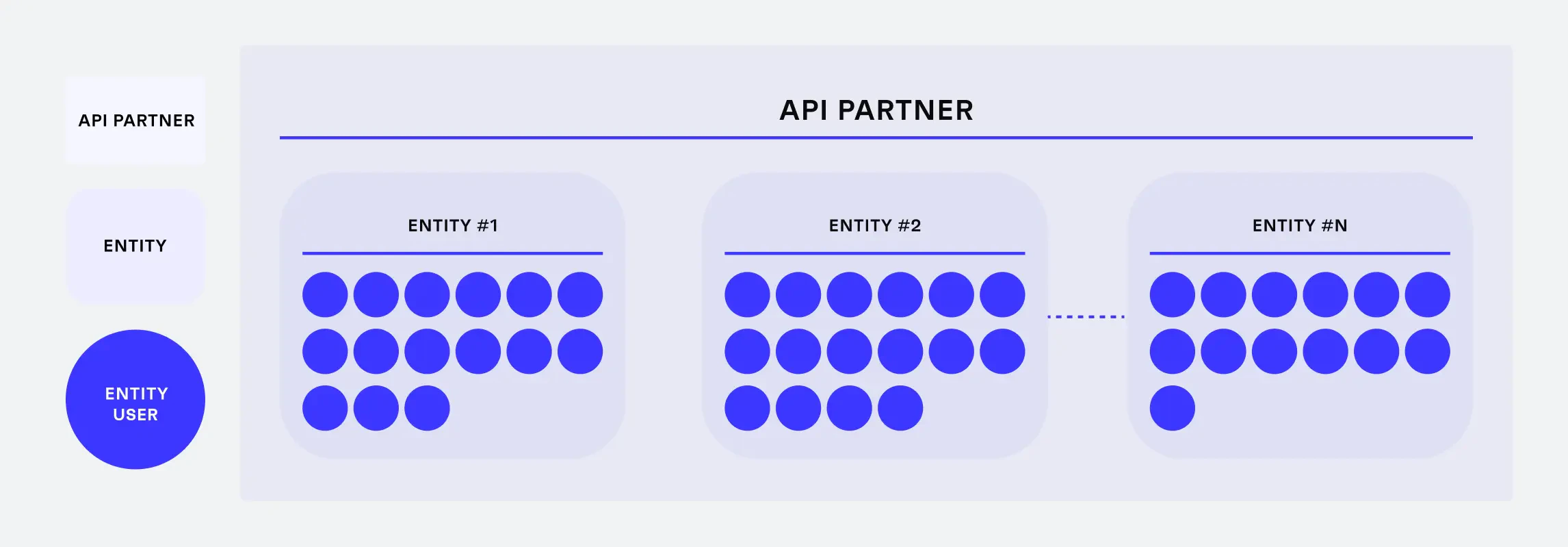
Tesouro account structure
Partner
A partner is a company that implements Tesouro API in its app or platform. This is a mandatory layer. The development teams of the partners connect to Tesouro API with admin-level access tokens. These admin tokens enable partners to create and configure organizations and access all resources of all organizations they develop software for.Organization
A customer of a partner – an organization – is either an organization or an individual. Each partner develops for one or more organizations. With the ID of an organization is possible to obtain root access to all resources related to this specific organization only. For example, Beispiel GmbH and Example Inc are both customers of NeobankA. Tokens issued for Beispiel GmbH only give access to the resources associated with Beispiel GmbH. Access to Example Inc. is not possible.Organization user
The employees who work for an organization - this optional organization user access layer is for partners who want to use Tesouro security for rapid development rather than build their own custom access control logic. Using Tesouro API, partners create customizable organization-level roles and permissions. Tesouro automatically monitors access policies for each API call. For example, Maria is an accountant at Beispiel GmbH. Maria’s access token gives access to resources within Beispiel GmbH according to Maria’s permissions.Connect organizations
Partners must map each customer as an organization into Tesouro before they can execute any business operations. This prevents any data incidents between organizations and ensures that each organization can access only its own data. Each organization registers its operations and stores financial documents such as payables or bank transactions in an interface developed by the Partner. These documents are stored and processed by Tesouro in a dedicated and secure space.Connect organization users
Partners may need to implement Role-Based Access Control (RBAC) to meet the needs of organizations and organization users. The main purposes of user roles are:- Restrict access to sensitive data and actions: Secure different levels of company information from different roles or prevent specific roles from completing tasks such as executing payments in the name of the organization.
- Delegate tasks among coworkers: These tasks automatically respect information and role security.
- Monitor system changes: Check who added information or changed organization data in Tesouro.
Accounts Payable example roles
Below are some examples how these roles might look like for Accounts Payable:- Administrator: Superuser for financial processes. Administrators are also involved in user management.
- Power user: Superuser for financial processes.
- Approver: Sends payables and participates in approval policies.
- Sender: Submits payables to Tesouro.
- Accountant: Reconciles transactions with payables and exports files for accounting.
Accounts Receivable example roles
Below are some examples how these roles might look like for Accounts Receivable:- Administrator: Superuser for financial processes. Administrators are also involved in user management.
- Power user: Superuser for financial processes.
- Sender: Creates and issues any document.
- Accountant: Reconciles transactions with receivables and exports files for accounting.